
Product updates
MC Studio is live: Start your first furniture project for free
· By MC Studio · Reviewed by Normunds Vitols, founder and cabinet maker
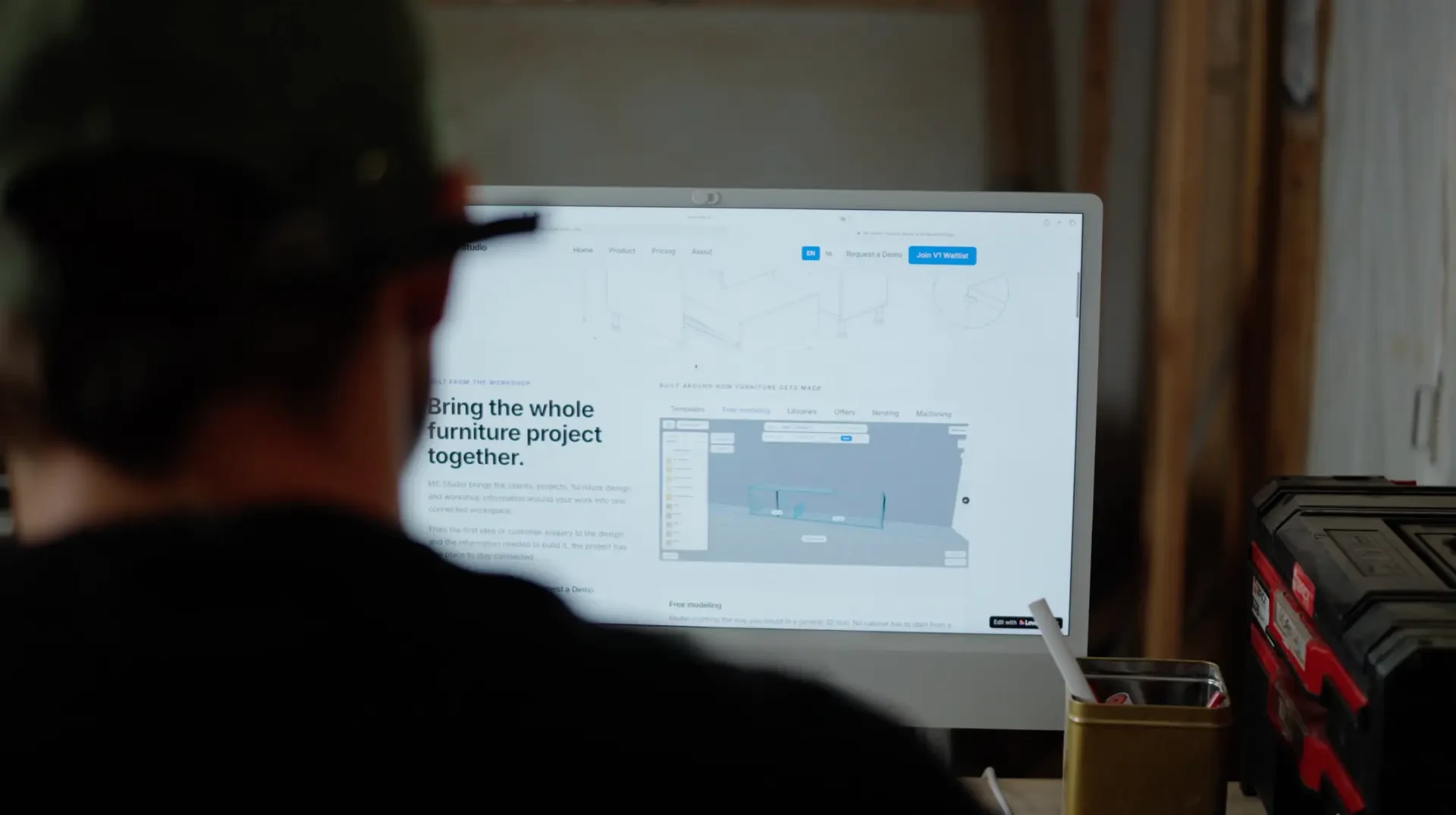
MC Studio is now publicly available.
On 16 November, we opened MC Studio so anyone can create an account, start with Go at €0 and begin using it with a real furniture project.
No early-access request. No waiting for an invitation.
Start with the project in front of you.
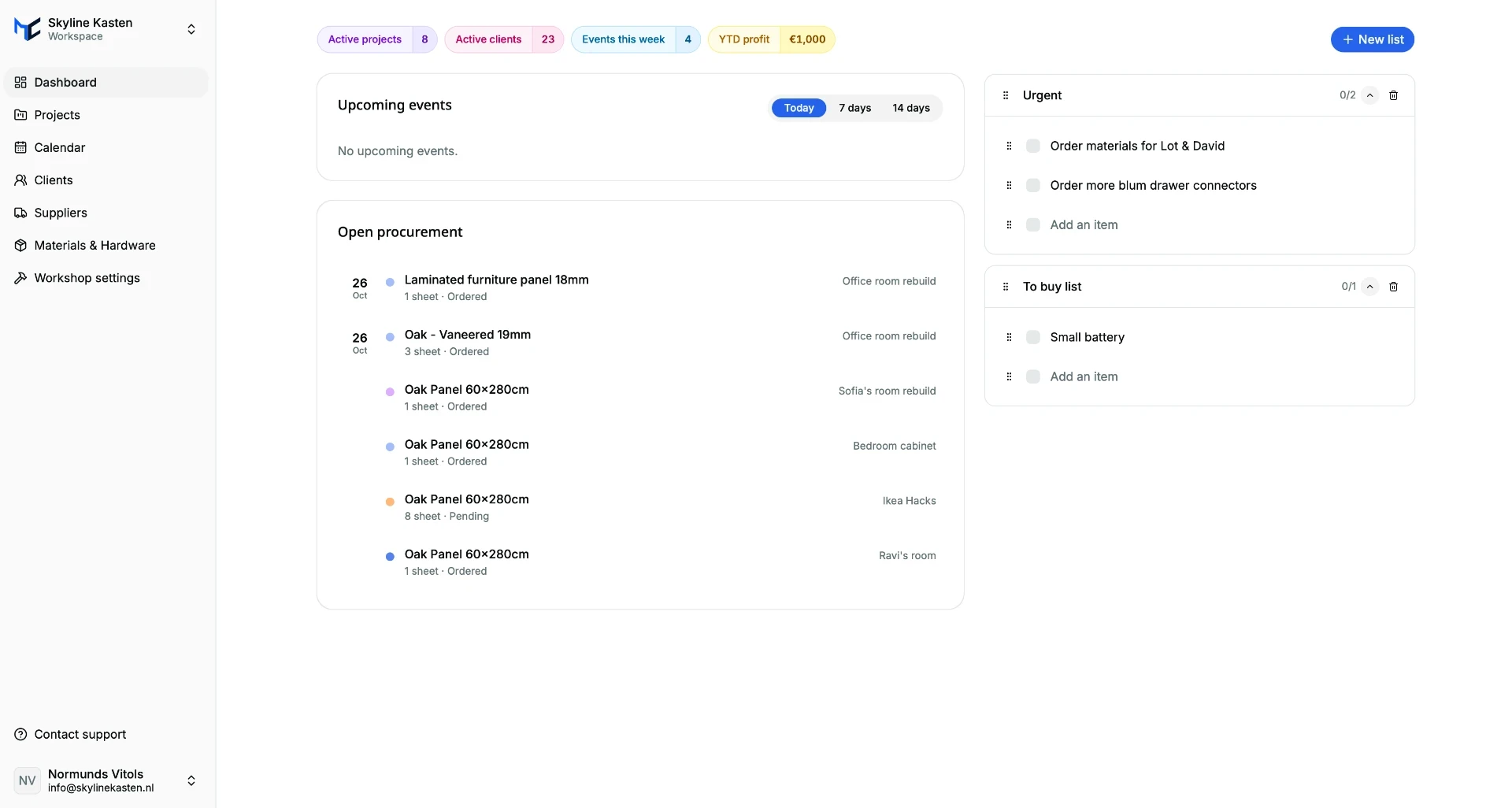
MC Studio brings the customer, project, furniture design and current manufacturing information closer together in one browser-based workspace built specifically for furniture makers.
Start small. Learn it through real work. Add more capability when the work itself starts asking for it.
Start with Go at €0
We did not want the first step into MC Studio to require building an entire professional software setup before you had made anything useful.
That is why both sides of MC Studio have a Go level.
CRM Go
CRM Go gives you a place to begin organising the work around the furniture project.
It currently includes:
- up to 8 projects;
- 1 CRM user;
- 7 files per project.
For a first project, side business or early paid commission, that gives you somewhere to keep customer and project information connected instead of spreading it across messages, notes and unrelated files.
CAD/CAM Go
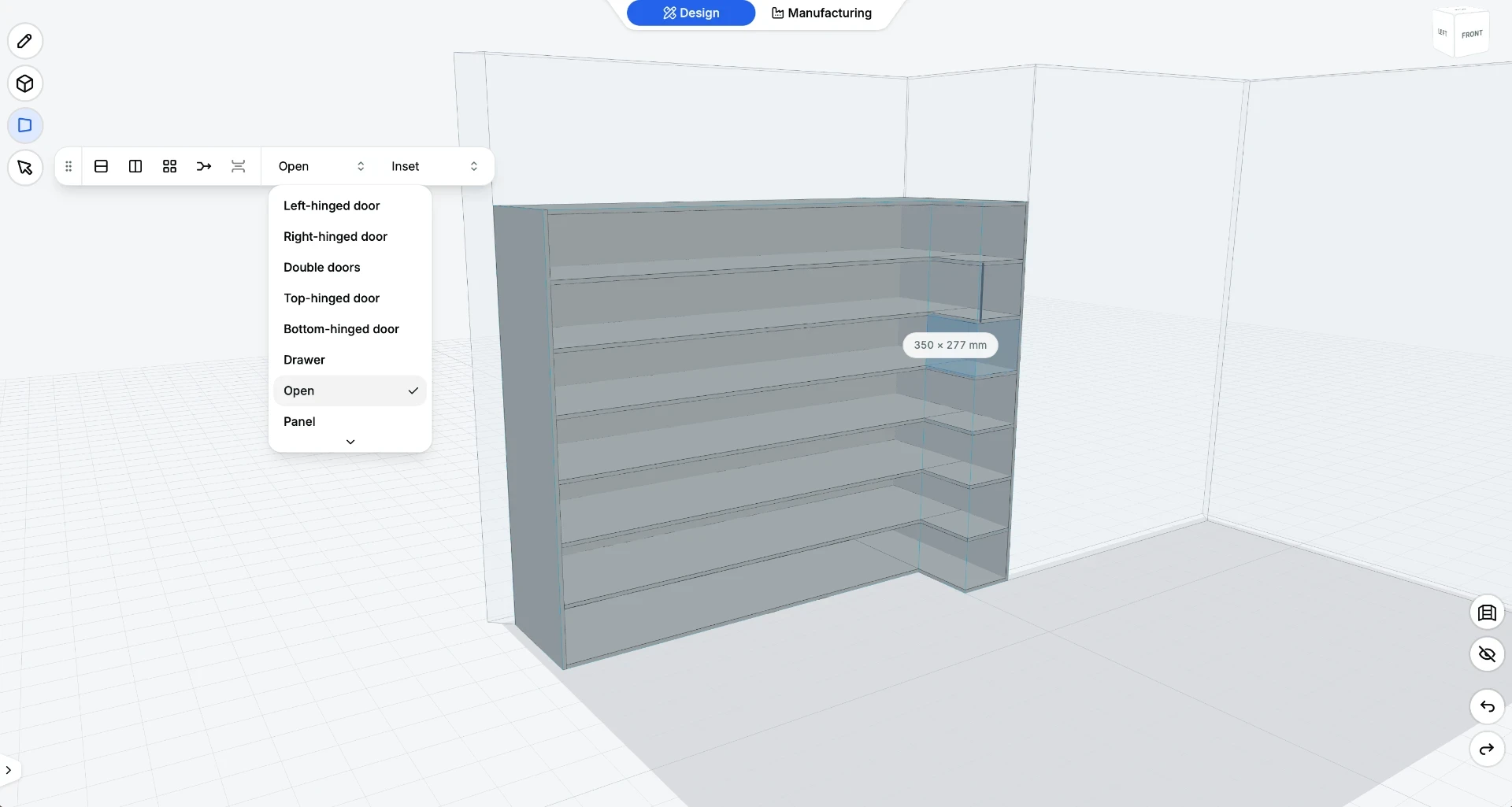
CAD/CAM Go gives you access to the Designer without a monthly CAD/CAM subscription.
You can begin creating furniture around real dimensions and furniture-specific structure rather than treating the job as disconnected 3D geometry.
The Designer is where the furniture itself begins.
Rooms, walls, cabinets, worktops, panels and faces can become part of the same project, with editing built around the way furniture is actually constructed.
For someone exploring furniture design software or cabinet design software with a real project in mind, Go is intended to be a genuine starting point rather than a locked demonstration.
One workspace, two sides you can grow independently
Not every furniture maker needs the same software depth at the same moment.
Someone taking a first commission may need more project structure before they need recurring production tools.
Someone else may be comfortable running the commercial side of the business their own way but need deeper furniture CAD capability.
That is why CRM and CAD/CAM can grow independently.
You can keep one side on Go and move the other to Plus where your work requires it.
Or move further into Professional capability when the operation becomes more demanding.
You are not forced into one fixed bundle simply because one part of the business has grown.
When the work becomes regular, add Plus where you need it
Plus is designed for the point where MC Studio is no longer something you are exploring for one project.
The work is becoming regular.
There are more customers, more projects, more information to keep organised or more furniture moving toward production.
CRM Plus
CRM Plus expands the amount of commercial and project work you can manage in the workspace.
It includes:
- up to 50 projects;
- up to 2 CRM users included;
- 15 files per project;
- external calendar sync;
- control over project-list names and order;
- editable project task templates.
It gives a growing furniture business more room to shape the CRM around the way the work is actually being run.
CAD/CAM Plus
CAD/CAM Plus is the recurring production step beyond free design.
It keeps the Designer and adds the current production capability intended for makers who are regularly moving projects from digital furniture design toward the workshop.
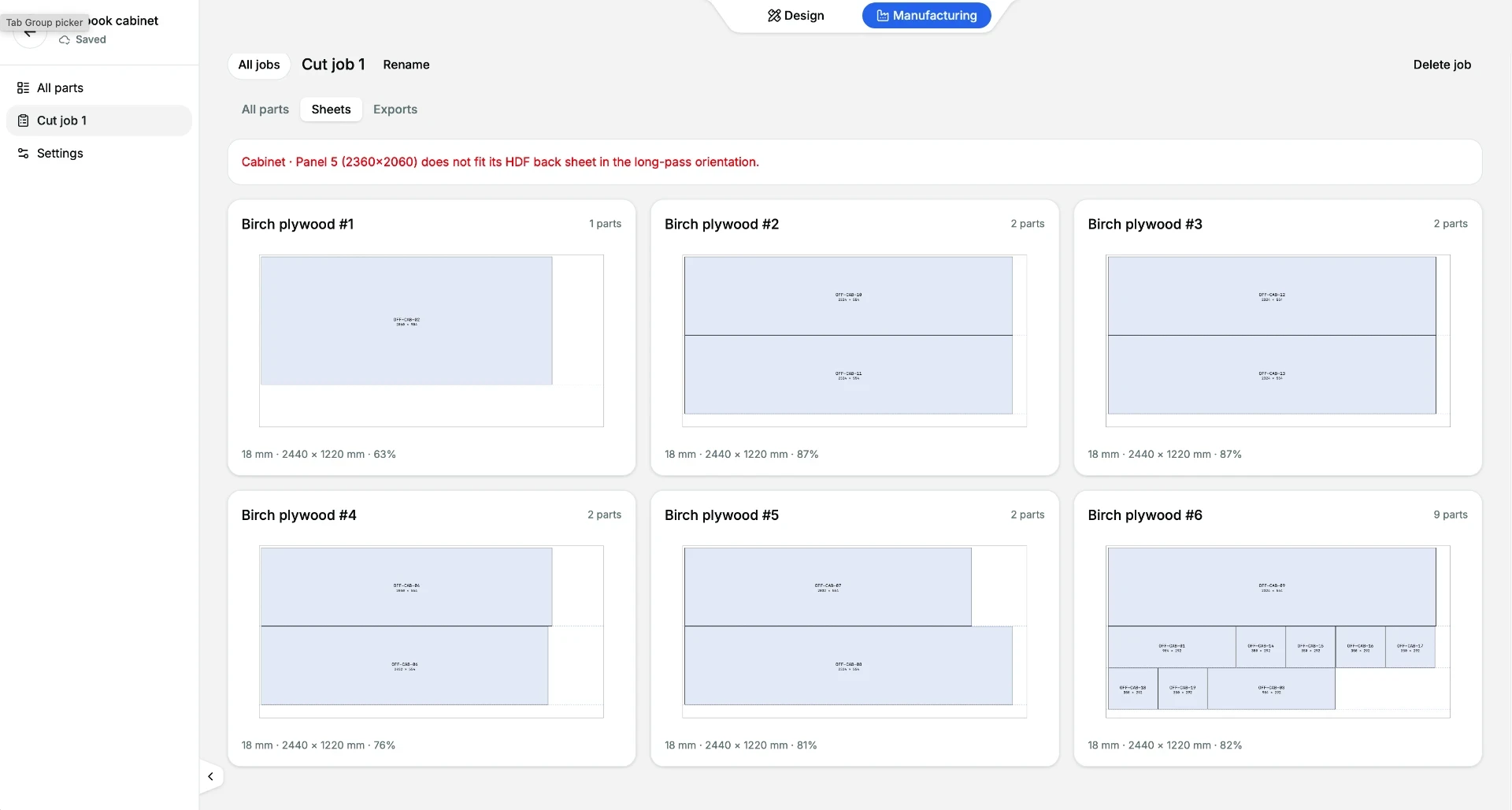
In V1, the important bridge is the cut list.
A cabinet designed inside MC Studio can become the list of physical parts required for the project, connecting furniture CAD with the information needed to begin preparing the material.
CAD/CAM Plus includes 1 CAD/CAM user.
Need production for one project, but not a recurring CAD/CAM subscription?
Not every project needs a monthly production subscription.
If you are using CAD/CAM Go and have one project that needs the eligible production output, you can add a Production Pass.
The Production Pass gives that project temporary access to the eligible current production capability for 168 hours.
That means someone building an occasional wardrobe, kitchen or cabinet project can design for free and pay for production access when the project actually reaches that stage.
The current Production Pass costs €9.90 including VAT.
For makers who begin producing projects regularly, CAD/CAM Plus becomes the recurring route instead.
Professional is there when the operation needs more depth
Professional is not the point where MC Studio suddenly becomes "real software."
Go and Plus are already designed for real work.
Professional exists for the parts of a furniture business that need deeper capability.
CRM Professional
CRM Pro currently includes:
- unlimited projects;
- 3 CRM users included;
- 30 files per project;
- Leads;
- Project Cards;
- external calendar sync;
- editable project lists;
- editable project task templates.
It is intended for businesses that need greater commercial and project-management depth around the work.
CAD/CAM Professional
CAD/CAM Professional is the highest current CAD/CAM level.
It includes the current Professional CAD/CAM capability, 1 CAD/CAM user and CRM Professional as part of the plan.
So if CAD/CAM Professional is the right level for the production side of the business, CRM Professional comes with it.
Your team can grow too
The users included with a plan are not the maximum size your team can ever reach.
They are the number of users included in that plan.
If more people need access to the same MC Studio workspace, additional users can be added.
Additional CRM and CAD/CAM users are handled separately because not every member of a team necessarily needs access to the same parts of the system.
Each person uses their own access to the shared workspace rather than sharing one account.
You can see the current included-user limits and additional-user pricing on the Pricing page.
Furniture design software should grow with the work, not force you to start over
One of the principles behind MC Studio is that the first useful workflow should not become disposable once the projects become more serious.
A simple cabinet and a professional fitted-furniture project are different in complexity, but they still share the same underlying ideas.
Dimensions affect parts.
Materials have thickness.
Interiors belong inside cabinets.
Project information belongs to the project.
The customer, the design and the physical furniture are not three unrelated pieces of work.
The system should be able to become deeper without forcing the maker to abandon the way they first learned to use it.
That is what we want the progression from Go to Plus to Professional to represent.
Not three different products.
One system becoming more capable around the work.
Built for the first project, the first paid jobs and the workshop that follows
MC Studio is not only being built for established cabinet shops with years of specialist software experience.
Some users will arrive while designing their first fitted wardrobe.
Some will already know how to build furniture but are taking their first paid commissions.
Some are turning a side business into regular customer work.
And some already run a professional workshop and want a more understandable way to connect the project, design and manufacturing information around the job.
The starting point is different.
The principle is the same:
start with what you need today, then add more when the work calls for it.
For an emerging cabinet maker, that might mean starting with free furniture design and a few active projects.
For a growing furniture business, it may mean CRM Plus while the CAD/CAM side remains on Go.
For someone producing regularly, CAD/CAM Plus may become the next step.
MC Studio is deliberately designed so those choices can happen independently.
What manufacturing means in V1
We want to be precise about this.
MC Studio V1 does not currently provide CNC machining output or G-code generation.
Those workflows are in development and testing for V2, and future compatibility will depend on the machine, controller and available post-processor.
Today, the current manufacturing path begins with cut lists.
That boundary matters.
Furniture and cabinet-making software becomes deeply connected to real material, machinery and production decisions.
We would rather say clearly what works today than market future manufacturing capability as though it were already finished.
The current V1 is the starting foundation.
The manufacturing side will grow from there.
Watch the public launch walkthrough
On 16 November, founder Normunds Vitols walked through the publicly available MC Studio experience, showed how the different plan levels fit together and answered questions during the public launch.
If you want to see the product before creating your own project, the full walkthrough is available below.
Questions from the public launch
A few of the questions from the launch went directly to the decisions behind MC Studio and where the product is heading.
How is MC Studio different from PolyBoard, Mozaik or Cabinet Vision?
Normunds answered this from his own experience as a furniture maker and Mozaik user.
The issue, for him, was not that existing specialist cabinet software lacked capability. The opposite was often true.
The challenge was how much terminology, setup and interface complexity had to be learned before that capability became comfortable inside a real workshop.
He described needing roughly two weeks to understand the basic concepts of Mozaik and several months before it was fully integrated into his workflow.
That experience is one of the reasons MC Studio puts so much emphasis on making professional furniture-specific capability easier to find and understand.
The goal is to shorten the distance between opening the software and being able to use it confidently in real work.
That is a product goal, not a promise that every user will learn MC Studio in the same amount of time.
Watch this answer from 24:32 →
Can users influence the roadmap and feature development?
Yes.
Normunds invited users to share suggestions directly with the team and emphasised that MC Studio is actively interested in feedback from real furniture workflows.
That is also why we continue testing the software outside the workshop it originally came from.
Different makers use different materials, machines, teams and processes.
The roadmap becomes better when those differences are visible to us.
Watch this answer from 26:56 →
Will there be labels for cut lists?
During the launch Q&A, Normunds confirmed that labels are part of the cut-list/manufacturing work and discussed further improvements to the manufacturing tab.
Because this area is actively developing, the website should only describe the functionality currently available in the live product as current capability.
The direction is clear: make the information leaving the design increasingly useful when the project reaches the workshop.
Watch this answer from 28:01 →
Can I make rounded cabinets or round doors?
Not in the current V1.
Rounded cabinets and manufacturable rounded doors/panels are part of future development.
Normunds explained during the launch that the work was already well underway, but that the capability belongs more naturally with future CNC-oriented workflows than with the current V1 cut-list foundation.
We therefore do not present it as a current feature or attach a guaranteed release date to it.
Watch this answer from 28:41 →
The best project to start with is a real one
You do not need to prepare a perfect demo project before opening MC Studio.
Bring something you actually want to make.
A cabinet.
A fitted wardrobe.
A kitchen.
A first paid commission.
A project that has been sitting in your notes because you have not yet found the right place to organise and design it.
Real furniture will teach you more about whether a piece of software fits the way you work than clicking through a pre-built example ever could.
Create the customer or project information you actually have.
Build the room.
Design the furniture.
Change the dimensions.
See how the structure behaves.
And if that project eventually needs more than Go provides, move the relevant part of MC Studio further.
Start your first project
MC Studio is live.
You can create your account today and begin on Go at €0.
Already know you want to see how MC Studio would fit your own workflow before getting started?
Or compare the current CRM and CAD/CAM levels in detail:
What comes next
Public launch is not the finish line for MC Studio.
It gives us something more useful: more real projects, more different ways of working and more evidence about where the software needs to become deeper.
We will continue expanding the product around that work.
And alongside the product itself, we will be publishing more practical guides for furniture makers, including how to approach a first cabinet design, how cabinet cut lists work and how to turn real room measurements into fitted furniture.
Not every useful piece of MC Studio knowledge needs to begin with the software.
Sometimes it should begin with the furniture.
One Project. One MC Studio.