
Product updates
Introducing MC Studio V1: One Workspace for Furniture Design, Projects and Manufacturing
· By MC Studio · Reviewed by Normunds Vitols, founder and cabinet maker · Updated 23 November 2026
UPDATE · 23 NOVEMBER 2026
MC Studio is now publicly available. Create an account and start with Go for free.
A furniture project is much more than a 3D model.
There is the customer and what they want to build. The measurements from the room. The design itself. Materials, revisions, files, procurement and project decisions. Then, eventually, that digital information has to become something real in the workshop.
MC Studio V1 brings those parts of the process closer together in one browser-based workspace built specifically for furniture makers.
V1 introduces three connected areas:
- project management and CRM for the work around the furniture project;
- furniture design and CAD for creating the project itself;
- manufacturing preparation and CAM, beginning in V1 with cut-list export.
They do not all launch at the same level of maturity, and that is intentional. V1 is the first usable foundation of a much larger system, and our priority has been getting the way MC Studio thinks about furniture right before expanding the depth around it.
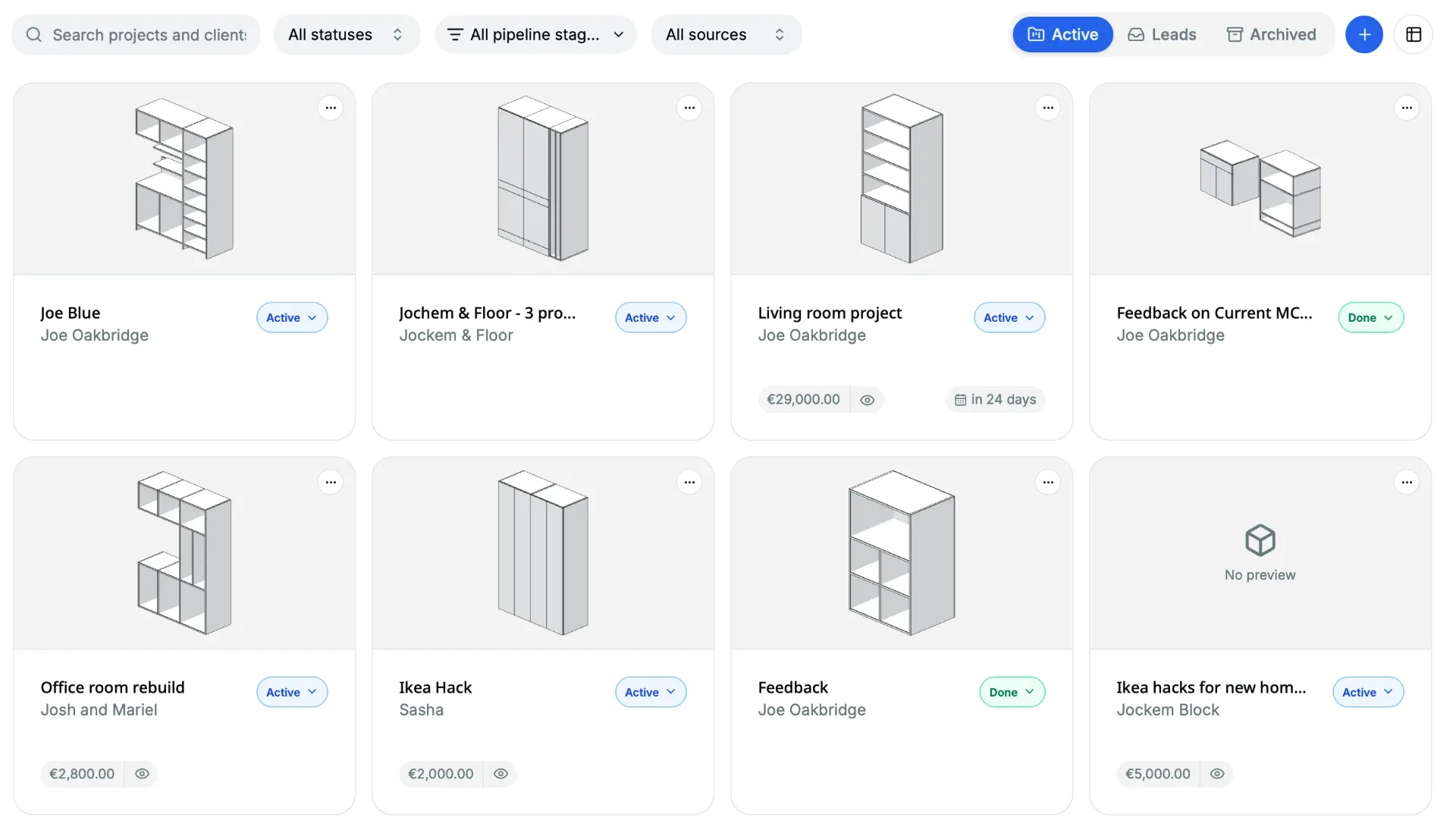
One project, instead of a collection of disconnected tools
Small furniture businesses rarely begin with a carefully designed software stack.
A customer sends inspiration through WhatsApp. Measurements land in Notes. Site photographs sit in a camera roll. The design lives in CAD. Materials may be tracked somewhere else. Production information becomes another file again.
For one project, that can work. As the work grows, the maker increasingly becomes the person responsible for remembering how all of those pieces relate to one another.
MC Studio is being built around a different idea: the furniture project should remain the centre of the workflow. The customer information, design and manufacturing information belong to the same piece of work, so the software surrounding them should feel connected too.
That starts taking shape in V1.
Project management and CRM: the most complete part of V1
The CRM is currently the most developed area of MC Studio V1.
But we do not think of it as a generic CRM with furniture terminology added on top.
It is designed around the way a furniture maker begins and manages a real project.
You can create and organise customers and projects, keep the information around a job together, and build a working process from the first enquiry onward.
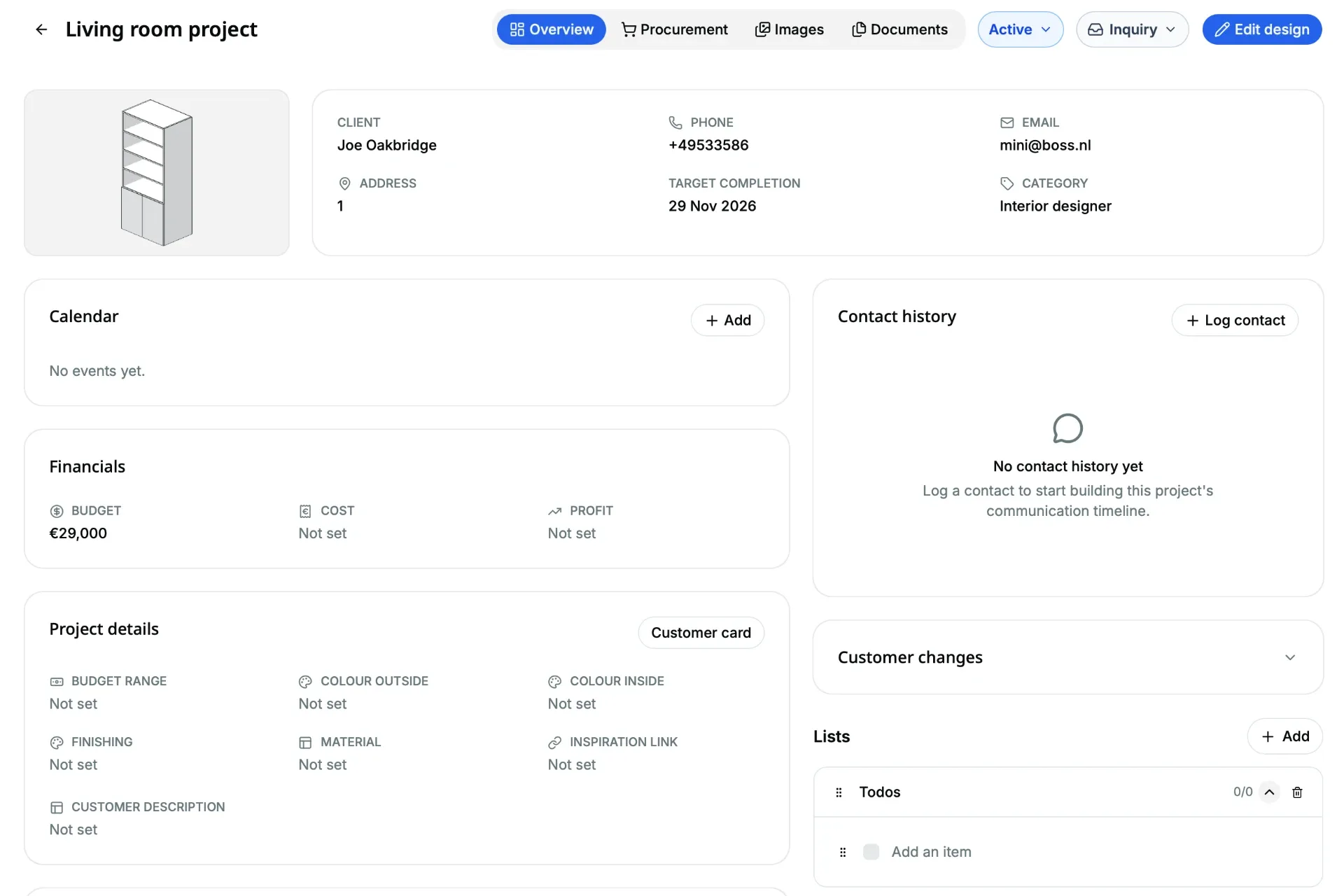
From a new lead into the project
A shareable lead form lets a potential customer submit their information directly into MC Studio.
That information enters the CRM rather than becoming another message or form that has to be manually copied somewhere else.
It is a small first step toward something much bigger we want to build over time: a stronger digital bridge between the person commissioning furniture and the person designing and making it.
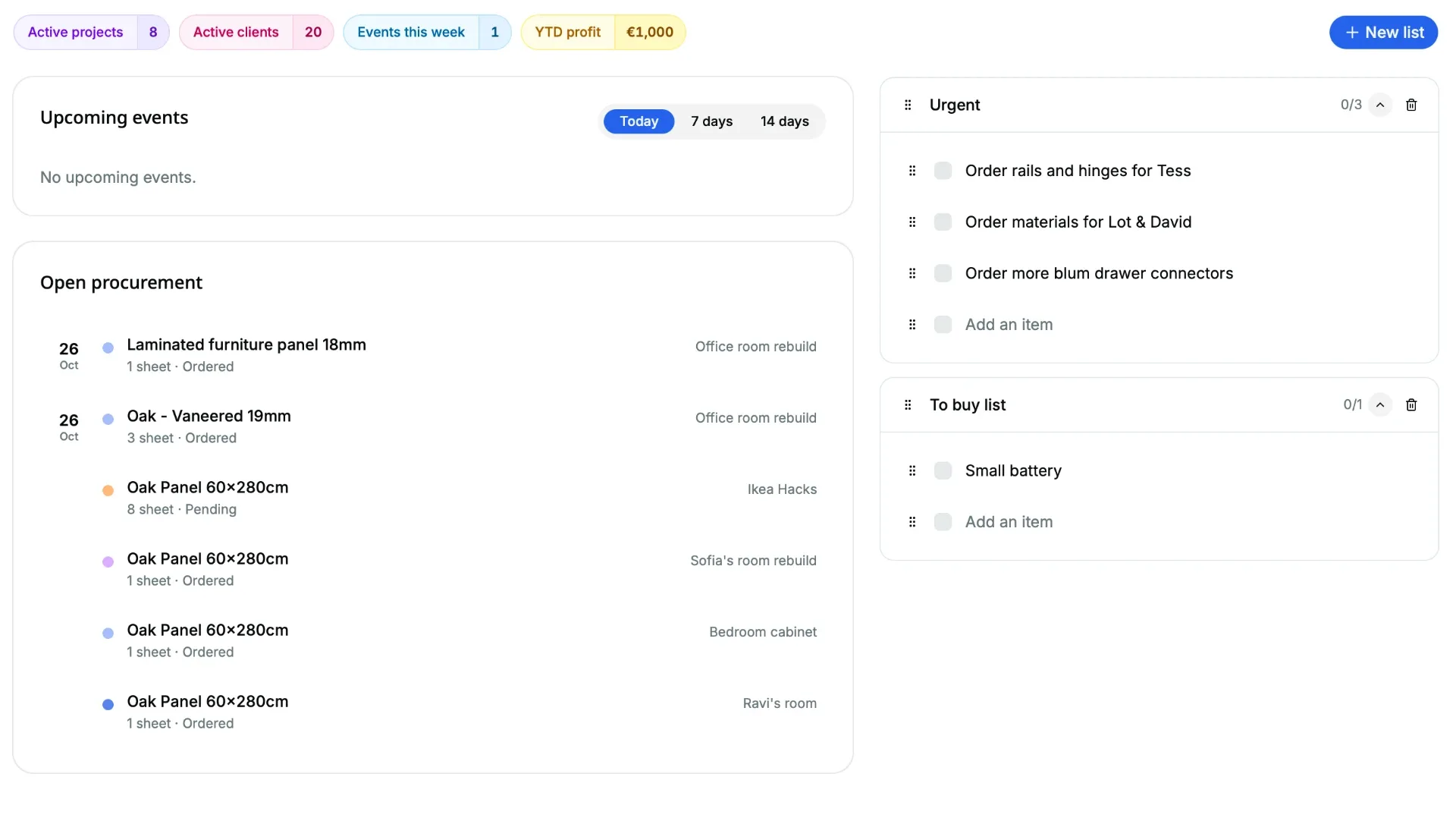
Keep project information where the project lives
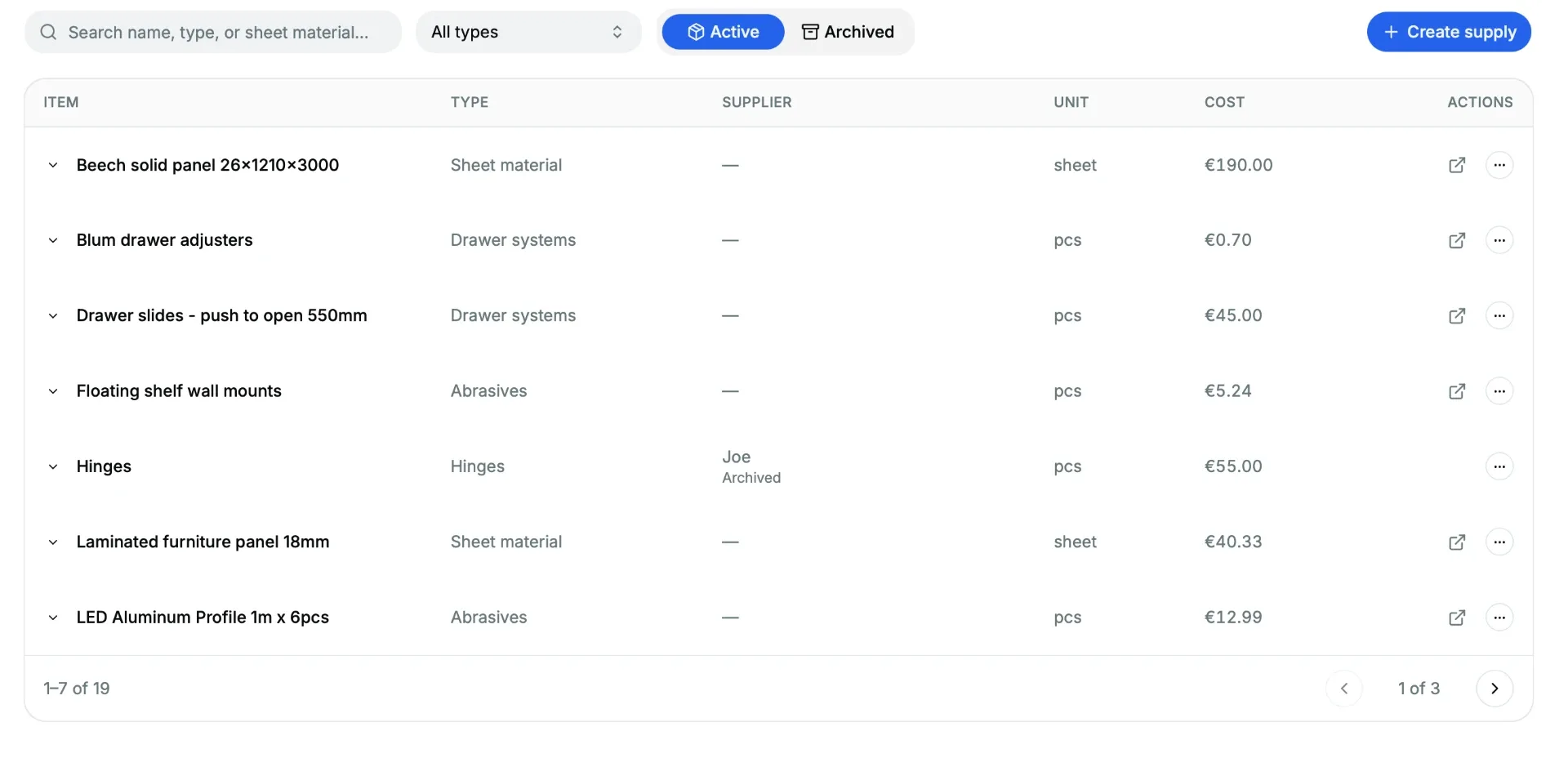
V1 also includes tools around inventory and procurement, along with workshop settings that help establish the environment your projects are created within.
For information collected away from the computer, a QR-code workflow lets you upload project photographs and documents from your phone directly into MC Studio.
That might sound like a small convenience. But the principle behind it matters: the information belonging to a furniture project should be easy to return to that project.
The less the maker has to remember where something was stored, the more attention can stay on the work itself.
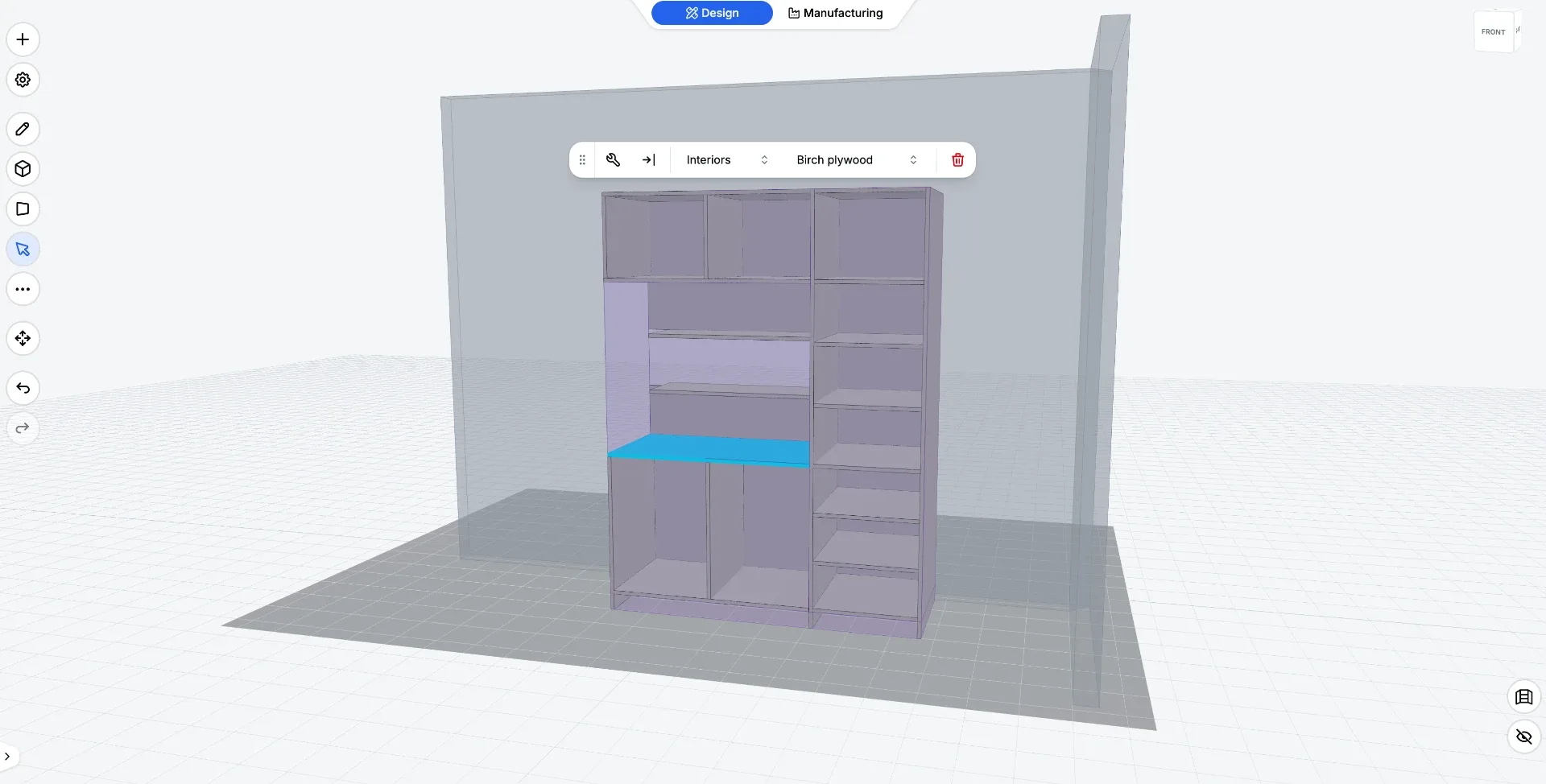
Furniture design and CAD: the heart of V1
The Designer is the heart of this first release.
V1 gives furniture makers the foundations needed to begin building a real project digitally.
You can create the room and walls the furniture needs to fit into, create and configure cabinets, add worktops and work with the individual panels and faces that make up the furniture.
There are also basic operations for details such as cutouts and grooves.
We could list every editing function here, but that would miss the point. What matters is that even in V1, the user has meaningful control over what the furniture looks like and how it is constructed.
That is the foundation we care about most.
Why the foundation matters
Furniture software becomes powerful when the model understands more than what an object looks like.
A cabinet has relationships. Its dimensions affect its parts. Its interior belongs inside a carcass. Materials have thickness. Construction decisions influence how the individual pieces come together.
This is where MC Studio begins moving beyond drawing furniture as disconnected 3D geometry. The concepts you use to create a simple cabinet in V1 are designed to remain relevant as the projects become more complex.
That means we do not want a beginner workflow that eventually has to be thrown away and replaced by a completely different professional workflow.
We want the system to grow in depth while the underlying logic remains familiar.
From design toward manufacturing
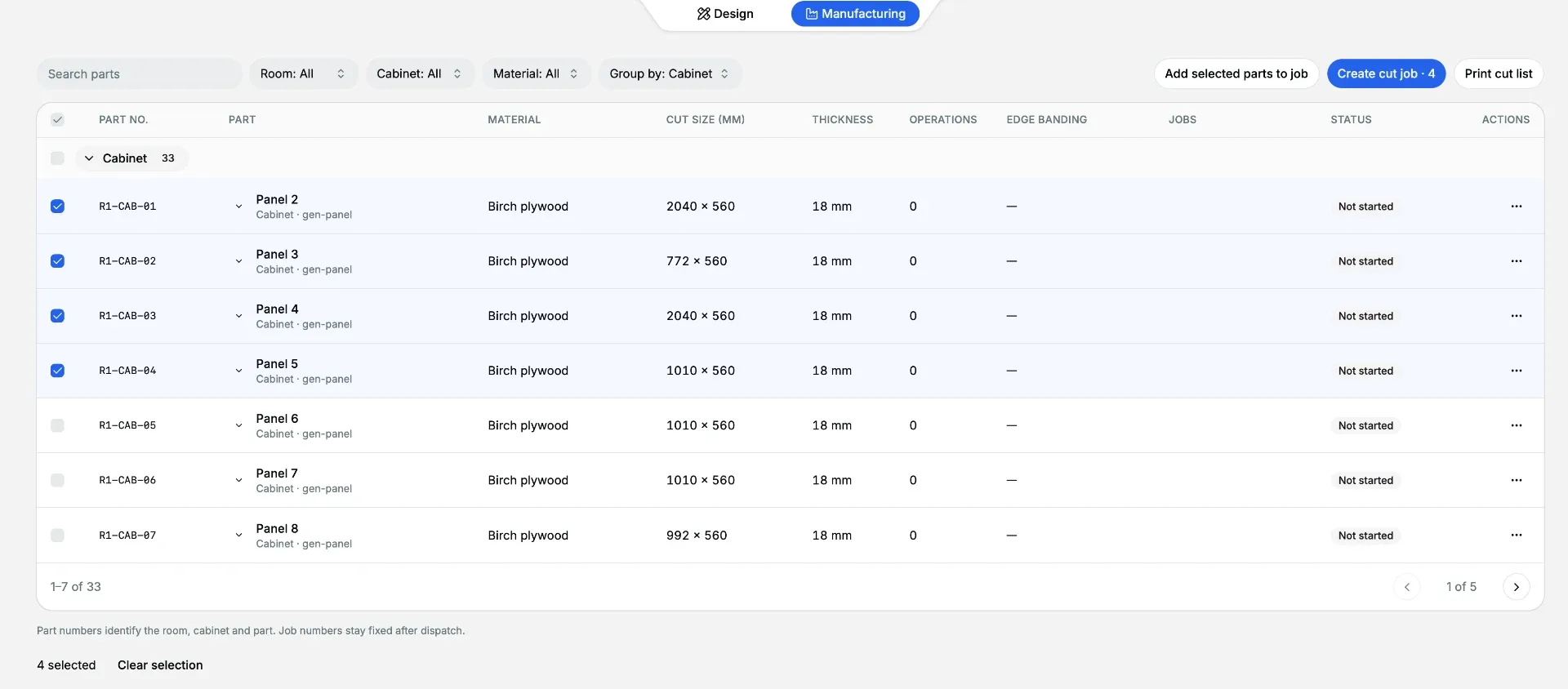
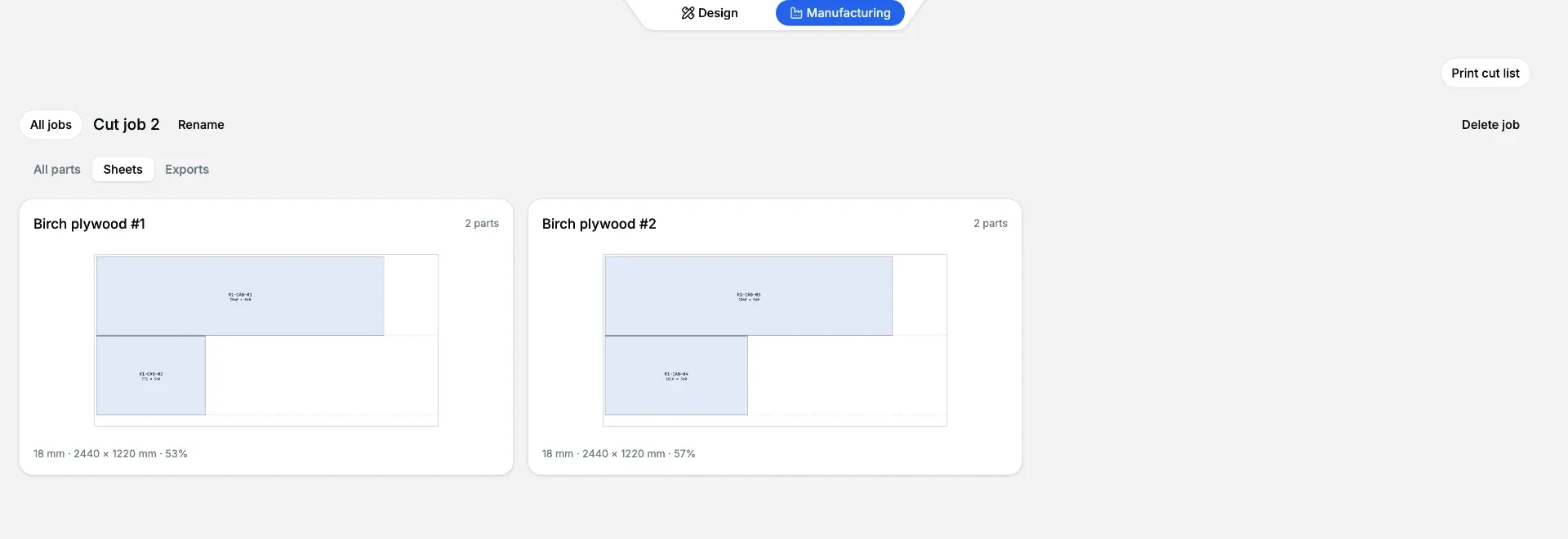
A furniture design eventually has to leave the screen. In V1, the manufacturing side begins with cut-list export.
The cabinet you have designed can be translated into the list of parts needed for that project, creating the first bridge between the digital model and the physical material.
This is deliberately only the beginning of MC Studio's CAM direction. More advanced manufacturing and CNC workflows will grow in later versions as they are developed and verified.
We would rather expand that part of the system carefully than make broad manufacturing promises before the underlying workflows are ready.
Why we built MC Studio
MC Studio did not begin as a software-company idea looking for an industry. It began inside a furniture workshop.
Our founder, Normunds Vitols, runs a custom-furniture business and spent years working with general 3D modelling tools, specialist cabinet software and digital manufacturing workflows while trying to improve the way his own projects moved from idea to workshop.
The problem was rarely that professional software lacked capability. Often, the capability was already enormous. The difficulty was reaching it.
Learning the software, understanding how its rules worked, configuring it around the workshop and then trusting it on real projects could become a project of its own.
That experience became one of the starting questions behind MC Studio: What would professional furniture software look like if it grew from the way furniture makers actually work?
Learning from the tools that came before
We are not trying to pretend the furniture and CAD industries have failed to build powerful software. They have. Instead, MC Studio takes inspiration from different qualities we believe belong together.
The accessibility that makes tools such as SketchUp approachable. The furniture-specific parametric thinking found in specialist systems such as PolyBoard. The precision and interaction quality that modern CAD products such as Shapr3D have shown is possible.
But MC Studio is being built specifically around the workflow of cabinet makers, furniture makers and fitted-furniture businesses.
The goal is to build one coherent system in which CRM, CAD and CAM understand that they belong to the same furniture project.
What V1 is, and what it isn't
Today, the CRM is deeper than the manufacturing side. The Designer introduces the core furniture workflow. Manufacturing begins with cut-list output rather than the complete professional CNC environment we intend to develop over time. We think being clear about that matters.
What we want users to experience in V1 is the MC way of working:
start with a real project;
keep the information around it connected;
design the furniture with furniture-specific logic;
and let that same project increasingly carry more of the information needed as it moves toward the workshop.
Future versions will extend that system rather than replace it.
Built for the first project, and the projects that follow
Some MC Studio users will arrive with years of furniture-making experience. Others will be designing their first fitted wardrobe, beginning a side business or taking on their first paid cabinet commission.
V1 is designed to give both groups a clear place to begin. You should not need to build an entire future workshop setup before you can make something useful.
Start with the project in front of you. Learn the workflow through real furniture. Then let the system become more capable as the work itself becomes more demanding.
That is what V1 represents for us. The first connected version of the workspace we believe furniture makers should have had all along.
One Project. One MC Studio.