
MC Studio is live ·Start your first project free

MC Studio. The word Studio cycles through CRM, CAD and CAM while Plan, Design and Manufacture appear beneath it. Plan. Design. Manufacture. One studio.

Now publicly available

Bring the whole furniture project together.

MC Studio brings furniture design, project management and manufacturing preparation into one browser-based workspace.

Start your first project with Go for free, then add more capability when your work calls for it.

Start with Go at €0 and upgrade inside MC Studio.

Browser-based furniture software for your first real project, your first paid jobs and the work that grows from there.

Built around how furniture gets made

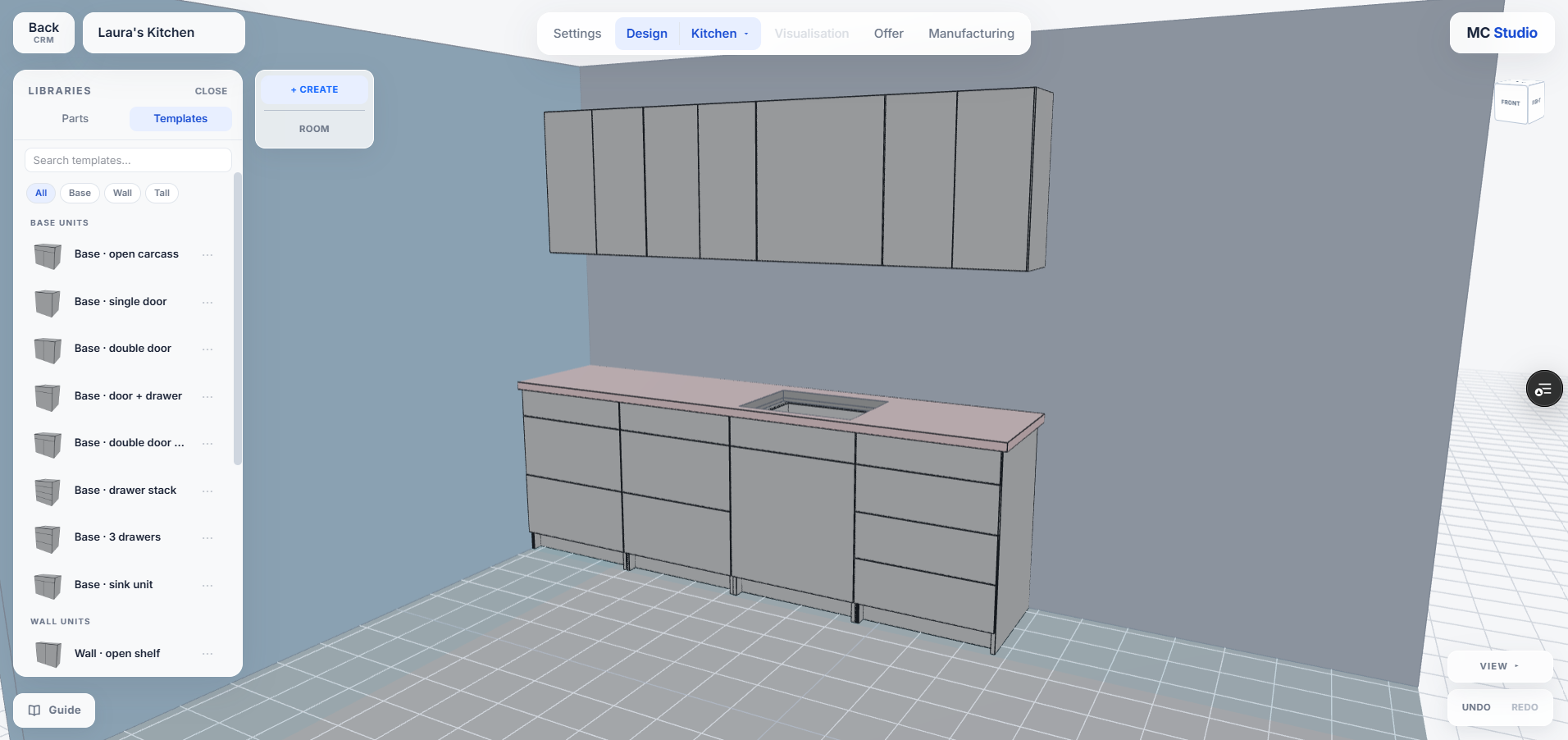
MC Studio cabinet template library shown beside a kitchen project in the design workspace.

Templates & parametric editing

Build your standard cabinets once, then reuse them on every job. Change a dimension and everything downstream follows, including parts, joints, hardware and the cut list.

Watch the walkthrough

See MC Studio in action.

Watch Normunds walk through the current MC Studio experience, explain how the different plans work and answer questions from the public launch.

Pricing

Start free. Upgrade when the work calls for it.

€0

  1. GO

    Real projects at €0

  2. PLUS

    Repeated work

  3. PROFESSIONAL

    Business workflows

Choose CRM and CAD/CAM separately or combine them.

Start with MC Studio for free, then add Plus or Professional capability as your projects and business need more.

Getting started

Help when you need it.

  1. In-app guide

  2. Tutorials

  3. Guided setup

Learn inside MC Studio, use step-by-step tutorials, and get guided Professional onboarding for areas such as your workspace, CRM, construction methods and templates.

  • Browser-based on Mac + Windows

    Use MC Studio through a supported browser without depending on a Windows-only cabinet-software installation.

  • Access your workspace

    Log in from another supported computer when you are at the workshop, office or away from the shop.

  • Work solo or with a team

    Use MC Studio on your own or give multiple named users access where included by the plan.

One project, connected

Give the whole project one home.

Furniture work involves more than the drawing.

Clients, measurements, offers, design decisions, materials, hardware, suppliers, files, workshop preparation and installation all belong to the same job.

MC Studio keeps those different parts connected around the project rather than treating each stage as an unrelated piece of information.

V2

BOM and CNC / G-code workflows are currently in development and testing.

Explore the Product →
Client + Project

CRM

  • Clients
  • Projects
  • Offers + follow-up

CAD

  • Rooms
  • Cabinets
  • Free modelling

CAM

  • Materials
  • Cutting lists
  • Hardware library
Knowledge

Start where you are

From your first project to a growing workshop.

Start with the project in front of you. MC Studio gives you a free place to begin, then lets you add more CRM and CAD/CAM capability as your work becomes more regular or your business grows.

Starting out

Build your first real project.

Design furniture in MC Studio and keep the basic customer and project information around it together.

Start with Go · €0

  • CAD/CAM Designer
  • CRM for up to 8 projects
  • 1 CRM user included
  • 7 files per project

Need production for one project? Add a Production Pass when you need it.

Production Pass on Pricing
Growing

Turn projects into regular work.

When you're taking more commissions or growing a furniture business, add the CRM and CAD/CAM depth your workflow actually needs.

CRM Plus

  • Up to 50 projects
  • 2 CRM users included
  • External calendar sync
  • Project-list & task-template control

CAD/CAM Plus

  • Designer
  • Current recurring production capability
  • Cut lists
  • 1 CAD/CAM user included

Choose either side independently or combine both.

More depth

Add professional depth where you need it.

For workshops with more projects, more team members or deeper workflows, move the part of MC Studio that needs it to Professional.

CRM Pro

  • Unlimited projects
  • 3 CRM users included
  • Leads
  • Project Cards

CAD/CAM Professional

  • Highest current CAD/CAM level
  • 1 CAD/CAM user included
  • CRM Professional included

Need more people in the workspace? Additional CRM and CAD/CAM users can be added separately.

CRM and CAD/CAM can be mixed independently.

Compare every plan and calculate your setup on Pricing.

Compare plans & build your setup →

Catch it earlier

Avoid the mistake before it occurs.

MC Studio keeps changes connected and can flag certain conflicts, giving you another chance to review them before the issue travels further into the job.

Changes stay connected

Change one thing. See what it affects.

Dependent parts can follow a change instead of being adjusted one by one.

Design ↔ Manufacturing

Prepared work isn't changed silently.

If Design changes after Manufacturing is prepared, MC Studio can ask before carrying the change forward.

Intelligent screening

See when something doesn't add up.

Certain dimension, hardware and project conflicts can be flagged for review.

You still make the decisions. MC Studio gives you more chances to catch issues earlier.

See how MC Studio handles changes →

From MC Studio

Learn how MC Studio is being built.

Product updates, furniture-software guides and practical lessons from the workshop.

View all articles →

One workshop gave us the starting point

We started by building the software we wanted to use ourselves.

MC Studio began inside a real custom furniture workshop.

Our founder, Normunds, designs, manufactures and installs furniture himself. His move from general 3D design toward digital manufacturing and CNC meant learning the specialised software cabinetmakers already rely on. That experience became the starting point for MC Studio.

Help us learn from real work

Help shape MC Studio.

Show us how you work, test relevant parts of MC Studio and help us understand what the product needs to support real furniture workflows.

Accepted early collaborators receive benefits on the MC Studio plans they choose, alongside closer access to the team and relevant product development.

Limited spots.

Help Shape MC Studio
Read Our Story →
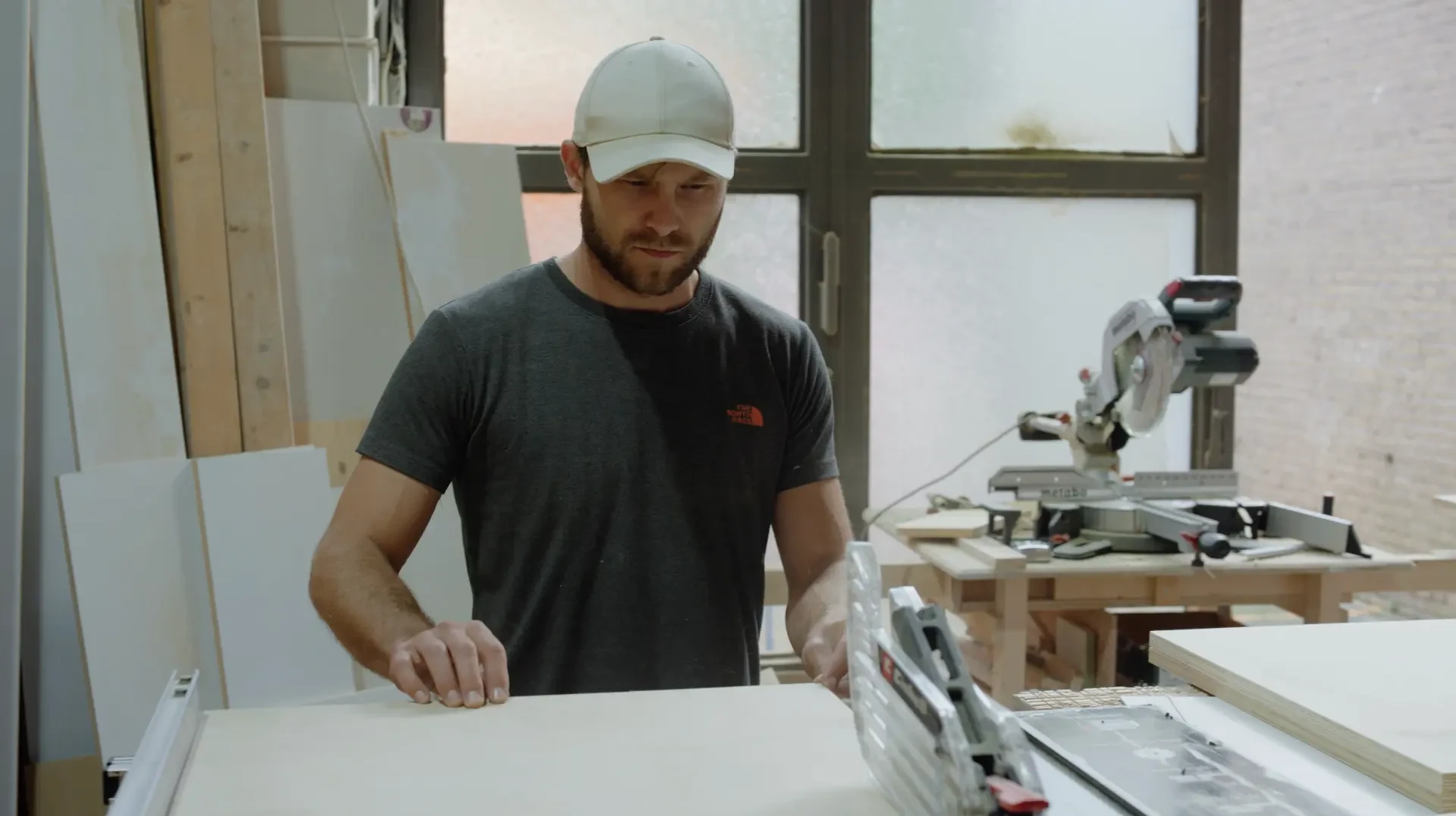
Normunds working with a panel at the table saw in his furniture workshop
Workshop photography · The workshop behind the software

V1 scope

MC Studio V1 covers the connected furniture project from client and design through materials, offers, cutting lists and workshop preparation. CNC machining output and G-code are in development and testing for V2, and compatibility details will be published once the supported machine, controller and post-processor scope is verified.

See MC Studio your way

Take the next step at your own pace.

Create an account and start with Go at €0. Upgrade inside MC Studio when your work calls for more, or see the product with us.

Follow the build

See what we're making, testing and learning.

Product updates, workshop footage, tutorials and the process of building MC Studio in public.